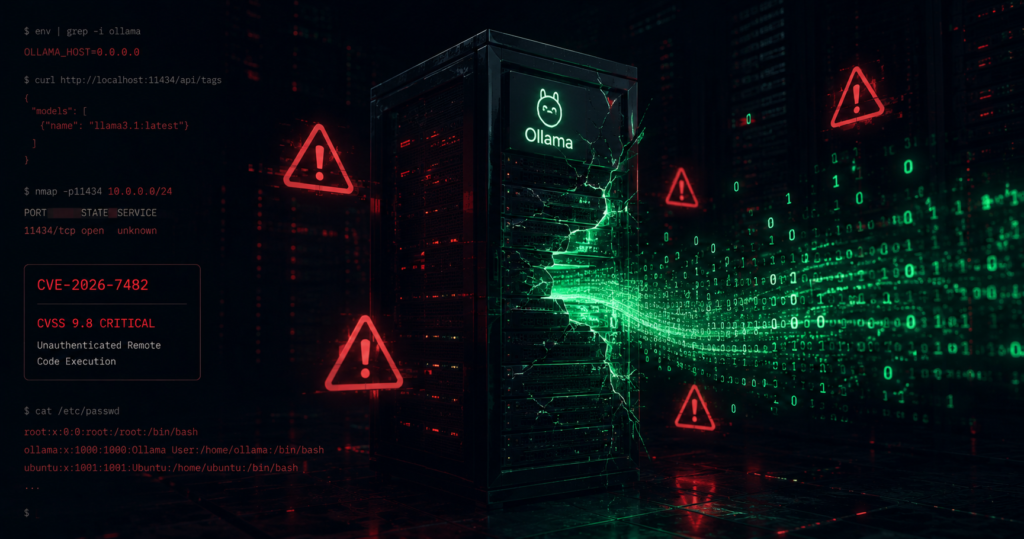
CVE-2026-7482 (CVSS 9.1) allows unauthenticated remote attackers to silently extract the entire process memory of Ollama inference servers. Teams operating Ollama deployments bound to public interfaces prior to version 0.17.1 must assume immediate compromise of API keys, system prompts, and concurrent user sessions.
Your AI infrastructure is leaking. Discovered by Cyera Research Labs and disclosed on May 1, 2026, the ollama cve-2026-7482 vulnerability, dubbed “Bleeding Llama,” exposes over 300,000 internet-facing Ollama servers to complete process memory extraction, the vulnerability resides within the GPT-Generated Unified Format (GGUF) model loader. If your Ollama instance binds to 0.0.0.0 on any version earlier than 0.17.1, your secrets are already visible to the public internet. The vulnerability carries a CVSS 3.1 score of 9.1 and a CVSS 4.0 score of 8.8, reflecting its unauthenticated, remote exploitability and the catastrophic impact of process memory disclosure.
By chaining three unauthenticated API calls (/api/blobs, /api/create, and /api/push), an attacker can craft a malicious GGUF file that triggers an out-of-bounds memory read during the quantization phase. Because Ollama relies on the Go language’s unsafe package for tensor manipulation, specifically when interacting with underlying C++ libraries like llama.cpp standard memory safety guarantees are bypassed. The leaked memory is folded perfectly into a model artifact via lossless float-16 (F16) to float-32 (F32) conversion and exfiltrated to an external registry controlled by the attacker.
This vulnerability targets the inbound inference channel (TCP port 11434) and affects all operating systems running Ollama versions prior to 0.17.1. Deployments binding the Ollama service to all network interfaces via the widely documented OLLAMA_HOST=0.0.0.0 configuration are acutely exposed. Administrators must deploy version 0.17.1 or later immediately, bind the service exclusively to local interfaces (127.0.0.1), and rotate all credentials previously injected into the server’s environment.
Vulnerability Summary: CVE-2026-7482
The core of the ollama cve-2026-7482 vulnerability resides within the GPT-Generated Unified Format (GGUF) model loader. By chaining three unauthenticated API calls, an attacker can craft a malicious GGUF file that triggers an out-of-bounds memory read.
| Field | Detail |
| CVE ID | CVE-2026-7482 |
| CVSS Score | 9.1 (Critical) |
| Affected Versions | Ollama < 0.17.1 |
| Patch Date | May 1, 2026 |
| Safe Version | 0.17.1 or higher |
| Attack Vector | Remote / Unauthenticated |
What is Bleeding Llama (CVE-2026-7482)?
Bleeding Llama represents a fundamental flaw in how the Ollama application parses and trusts user-supplied file formats during model initialization. Ollama serves as the de facto standard for self-hosting large language models (LLMs) locally, boasting over 170,000 GitHub stars and 100 million Docker Hub pulls. This massive adoption footprint makes CVE-2026-7482 one of the most widespread AI infrastructure vulnerabilities discovered to date.
The core issue involves an out-of-bounds heap read triggered during the parsing and quantization of GGUF files. GGUF is a binary file format designed to store tensor data for LLM execution. Tensors act as multi-dimensional arrays of numbers representing the model’s learned parameters and weights. When a user uploads a GGUF file to create a custom model instance, Ollama evaluates the declared tensor shapes and offsets located in the file’s header.Prior to version 0.17.1, the application failed to validate whether the declared tensor size matched the actual binary file size during the execution of the WriteTo() function within server/quantization.go and fs/ggml/gguf.go. An attacker submitting a file with a tiny footprint on disk but a massive declared tensor shape causes the server to allocate an insufficient buffer, ultimately reading far past the allocated memory and into the adjacent heap space.
Technical Breakdown of the Bleeding Llama Exploit
This vulnerability weaponizes the server’s own mathematical quantization routines to ship stolen memory without triggering crashes. Ollama relies on the Go language’s unsafe package for tensor manipulation when interacting with C++ libraries like llama.cpp. This choice bypasses standard memory safety guarantees.
The GGUF Memory Bomb
An attacker uploads a manipulated GGUF file to the /api/blobs endpoint. The file header declares a massive dimensional shape for a tensor that doesn’t exist on disk. When the server attempts to process this via the /api/create endpoint, the WriteTo() function fails to validate the tensor dimensions against the actual file size.
Lossless Exfiltration
The loop ingests adjacent heap memory and writes it into a new model buffer. Because the conversion from F16 to F32 is mathematically lossless, the stolen API keys and system prompts remain perfectly readable in the final artifact. The attacker then uses the /api/push endpoint to send this “model” (your memory dump) to their own registry.
Compliance and Audit Implications
Operating vulnerable, unauthenticated AI inference servers directly violates multiple established cybersecurity compliance frameworks. Auditing bodies penalize organizations that fail to apply network isolation and vulnerability management to machine learning workloads.
| Framework | Control ID | Compliance Impact Analysis |
| SOC 2 | CC6.1 (Logical Access) | Failure to implement logical access controls and authentication on sensitive API endpoints (TCP/11434). |
| SOC 2 | CC7.2 (System Monitoring) | Failure to detect anomalous outbound connections to unknown model registries via the /api/push mechanism. |
| ISO 27001 | A.9.2.1 (User Registration) | Lack of identity management, user registration, and role-based access for internal LLM querying. |
| ISO 27001 | A.12.6.1 (Technical Vulnerabilities) | Operating known critical vulnerabilities (CVSS 9.1) without implementing compensating controls or applying vendor patches. |
Traditional security audits frequently miss these issues because standard SIEM rules and Endpoint Detection and Response (EDR) agents do not natively parse GGUF file structures or monitor /api/create endpoint invocations.15 The payload delivery looks functionally identical to standard engineering workflows, allowing the vulnerability to persist silently until a dedicated AI posture assessment identifies the misconfiguration.
Are You Affected? Audit Your Stack
Not every Ollama deployment is exploitable, but any instance utilizing OLLAMA_HOST=0.0.0.0 is at high risk. You must audit your environment immediately.
Kubernetes Auditing with kubectl
To locate misconfigured Pods across all namespaces, execute the following JSONPath query to extract the OLLAMA_HOST environment variable and flag instances bound to all interfaces :
kubectl get pods --all-namespaces -o jsonpath='{range.items[*]}{.metadata.namespace}{"\t"}{.metadata.name}{"\t"}{range.spec.containers[*]}{.name}{"\t"}{.image}{"\t"}{range.env}{.value}{end}{"\n"}{end}{end}' | grep "0.0.0.0"To identify outdated container images that lack the version 0.17.1 patch, filter the cluster by application labels or common image names to extract the running digest versions:
kubectl get pods --all-namespaces -l app=ollama -o jsonpath='{range.items[*]}{.metadata.namespace}{"\t"}{.metadata.name}{"\t"}{.spec.containers[*].image}{"\n"}{end}'
Linux Systemd Auditing
For bare-metal or virtual machine deployments, audit the systemd unit files overriding the default bindings. Search the systemd configuration directories for explicit environment definitions :
grep -r "OLLAMA_HOST" /etc/systemd/system/Review the output for entries explicitly assigning Environment=”OLLAMA_HOST=0.0.0.0″ or 0.0.0.0:11434.
Detection Methods and Monitoring
Detecting active exploitation requires interrogating the HTTP access logs generated by the Ollama daemon and analyzing network egress patterns.7
Log Analysis and Pattern Extraction
Ollama logs API traffic to server.log or standard output depending on the deployment medium. Engineers must search for POST requests to the /api/create and /api/push endpoints originating from non-RFC1918 (external) IP addresses.
Execute the following awk and grep pipeline to identify anomalous request volume or external routing:
grep -E 'POST /(api/pull|api/create|api/push)' /var/log/ollama/server.log | awk '{print $1, $7, $NF}' | sort | uniq -c | sort -rnSigma Rule Logic for SIEM
Security teams employing Elastic, Splunk, or OpenSearch should deploy Sigma rules targeting the final exfiltration stage. The highest-confidence indicator of compromise (IoC) is a /api/push event where the destination model string contains a fully qualified domain name (FQDN) or IP address not explicitly allowlisted by the organization.
YAML

title: Ollama API Push to Unknown Registry
id: 1a2b3c4d-5e6f-7a8b-9c0d-1e2f3a4b5c6d
status: experimental
description: Detects HTTP POST requests to the Ollama /api/push endpoint directing models to external registries.
logsource:
    category: webserver
    product: ollama
detection:
    selection:
        cs-method: 'POST'
        cs-uri-stem: '/api/push'
    filter_trusted:
        model_name|contains:
            - 'localhost'
            - 'internal-registry.local'
            - 'huggingface.co'
    condition: selection and not filter_trusted
level: high
Furthermore, network administrators lacking application-layer logging can use packet capture to isolate suspicious traffic targeting the inference port:
Bash

tcpdump -i any -w /tmp/ollama_capture.pcap port 11434
Why Bleeding Llama (CVE-2026-7482) is Different from Windows Updater Flaws
Engineering teams often confuse this memory leak with CVE-2026-42248 and CVE-2026-42249. While both hit Ollama, the attack vectors are distinct. Bleeding Llama attacks the inbound inference API (TCP/11434). The Windows flaws target the outbound auto-update channel.
Binding your API to 127.0.0.1 mitigates Bleeding Llama but provides zero protection against the Windows updater vulnerabilities. You must apply the 0.17.1 patch to address both.
| Feature | Bleeding Llama (CVE-2026-7482) | Windows Updater Flaws (CVE-2026-42248 / CVE-2026-42249) |
| Attack Channel | Inbound API requests to TCP/11434. | Outbound auto-update requests intercepted over the network. |
| Vulnerability Class | Heap out-of-bounds read leading to data exfiltration. | Signature verification bypass chained with path traversal (RCE). |
| Affected Operating Systems | Linux, macOS, Windows, Docker, Kubernetes. | Windows desktop installations exclusively. |
| CVSS Severity | 9.1 (Critical) / 8.8 (High). | 7.7 (High). |
| Primary Mitigation Strategy | Bind to 127.0.0.1 and patch to version 0.17.1 or newer. | Block ollama app.exe outbound firewall rules and disable auto-updates. |
Immediate Remediation and Mitigation Steps
If your audit reveals a vulnerable version, immediate remediation is required for any environment where OLLAMA_HOST is explicitly bound to a public interface or an untrusted local network.
1. Upgrade the Binaries
Download and apply the updated binaries. The ollama cve-2026-7482 vulnerability is patched in version 0.17.1. The application code now correctly verifies that the tensor dimensions do not exceed the actual file buffer bounds. As of May 14, 2026, the latest stable release is 0.23.4, and the 0.30.0-rc15 release candidate implements major architectural changes by directly integrating llama.cpp support.
On Linux, execute the installation script to overwrite the vulnerable binary with the latest stable release, so update your Linux installation with:
# Overwrite the vulnerable binary with the latest stable release
curl -fsSL https://ollama.com/install.sh | sh
2. Restrict Network Bindings
If external API access is not strictly required, remove the OLLAMA_HOST override to force the daemon to revert to the safe 127.0.0.1:11434 binding.. For Linux systemd environments, , edit the override configuration:
sudo systemctl edit ollama.serviceRemove the Environment=”OLLAMA_HOST=0.0.0.0:11434″ line, save the file, and restart the service 9:
sudo systemctl daemon-reload
sudo systemctl restart ollama
4: Implement Authentication Proxies
If the server must remain accessible to network peers or container sidecars, deploy an authentication gateway. Tools like Nginx, Caddy, or ngrok can wrap the Ollama API with standard HTTP Basic Auth, mutual TLS (mTLS), or OAuth2 schemas.
Example Nginx reverse proxy configuration implementing access control :
Nginx

server {
    listen 80;
    server_name ollama.internal.corp;

    auth_basic "Restricted AI Access";
    auth_basic_user_file /etc/nginx/.htpasswd;

    location / {
        proxy_pass http://127.0.0.1:11434;
        proxy_set_header Host $host;
        proxy_set_header X-Real-IP $remote_addr;
    }
}
3. Credential Rotation
If your server was exposed to the public internet, assume compromise. Rotate all AWS_ACCESS_KEY_ID, OPENAI_API_KEY, and database connection strings that were present in the environment variables.
Best Practices for Securing Ollama Deployments
To harden future deployments against out-of-bounds reads and unauthenticated API abuse, adopt the following structural defenses:
- Never Expose Raw APIs to the Internet: Always place an API gateway or reverse proxy in front of AI inference engines to handle authentication and rate limiting.
- Network Segmentation: Isolate GPU nodes and AI workloads into dedicated subnets or Kubernetes namespaces with strict zero-trust ingress and egress rules. Ensure egress traffic is restricted exclusively to known, sanctioned registries to break exfiltration chains.
- Principle of Least Privilege for Environment Variables: Never inject highly privileged root credentials or over-scoped AWS IAM keys into the inference environment. Scope API keys strictly to the specific services the LLM requires to function.
Harden the Container: Run Ollama Docker containers as non-root users, drop unnecessary Linux capabilities, and mount the model storage directory as a read-only volume where feasible to prevent malicious artifacts from writing to disk.
How EOLRadar Helps Teams Detect Risks Earlier
Maintaining visibility into the software bill of materials (SBOM) across hundreds of microservices, sidecars, and AI agents proves impossible using manual tracking. EOLRadar continuously scans infrastructure dependency trees, mapping running component versions against live CVE feeds, End-of-Life deadlines, and critical compliance requirements. By alerting platform teams the moment a vulnerable image such as Ollama versions prior to 0.17.1, is detected in staging or production environments, EOLRadar ensures zero-day exposures are flagged and remediated before automated vulnerability scanners can weaponize them.
Safer Alternatives and Migration Options
As organizations scale AI infrastructure from local prototyping to production APIs, relying on Ollama’s unauthenticated HTTP server introduces systemic operational risks. Engineers should evaluate enterprise-grade inference alternatives that prioritize strict isolation, role-based access control, and high throughput under heavy concurrency.
vLLM vs. Ollama
For Kubernetes deployments serving multiple concurrent users, vLLM offers a vastly superior architecture designed specifically to manage heavy traffic and optimize hardware.
| Feature | Ollama | vLLM |
| Primary Use Case | Local development, single-user prototyping. | High-throughput production APIs, multi-tenant serving. |
| Batching Mechanism | Sequential processing (queues requests one by one). | Continuous batching (processes multiple requests simultaneously). |
| Memory Management | Static KV cache per request. | PagedAttention (dynamic memory allocation, reduces fragmentation to under 4%). |
| API Authentication | None (requires external proxy). | Robust support for token-based authentication schemas. |
| Throughput (H100 GPU) | ~320 tokens/sec (drops drastically under concurrent load). | ~1,450 tokens/sec (scales proportionally with concurrency). |
While Ollama excels in abstracting the complexity of downloading and running GGUF models locally, vLLM prevents the exact systemic failures introduced by CVE-2026-7482. By transitioning production workloads to vLLM or NVIDIA Triton Inference Server, engineering teams eliminate unauthenticated model loading endpoints entirely, restricting state mutations to the CI/CD pipelines rather than exposing them at the API edge.
FAQ: Critical Ollama Security
What is the CVSS score for the Bleeding Llama vulnerability?
CVE-2026-7482 carries a CVSS 3.1 score of 9.1 (Critical) due to its unauthenticated remote nature and the total disclosure of process memory.
Does binding Ollama to localhost prevent the attack?
Yes. If the OLLAMA_HOST variable is explicitly set to 127.0.0.1 or left at its default missing state, the inference API cannot be reached by external network traffic, effectively mitigating the remote exploitation vector of CVE-2026-7482.
Does patching Bleeding Llama also fix the Windows updater vulnerabilities?
No. The Windows updater vulnerabilities (CVE-2026-42248 and CVE-2026-42249) exploit the outbound update channel, whereas Bleeding Llama attacks the inbound inference API. Teams must apply separate mitigations for the Windows updater flaws, such as disabling auto-downloads or using firewall blocks against the application executable.
Can standard antivirus detect the Bleeding Llama exploit?
Standard endpoint detection tools generally fail to detect this exploit. The payload is delivered via a standard HTTP POST as a GGUF file, which appears identical to legitimate model interaction. The memory leak occurs entirely within the server’s heap memory without crashing the process, generating no system faults or process anomalies.
What versions of Ollama contain the fix?
The out-of-bounds memory read flaw was successfully patched in Ollama version 0.17.1. All subsequent releases, including the current stable version 0.23.4, verify tensor bounds correctly and remain immune to this specific CVE.
How does the attacker receive the stolen data?
The attacker employs the /api/push endpoint to force the compromised Ollama server to upload the newly compiled model which now contains the stolen heap memory padded via F32 conversion—to an external, attacker-controlled container registry.
How can I detect an active exploit?
Analyze your logs for POST requests to /api/create and /api/push originating from external IP addresses.
Your first priority today is simple: run ollama --version. If it is below 0.17.1, your internal secrets are public data. Patch now.