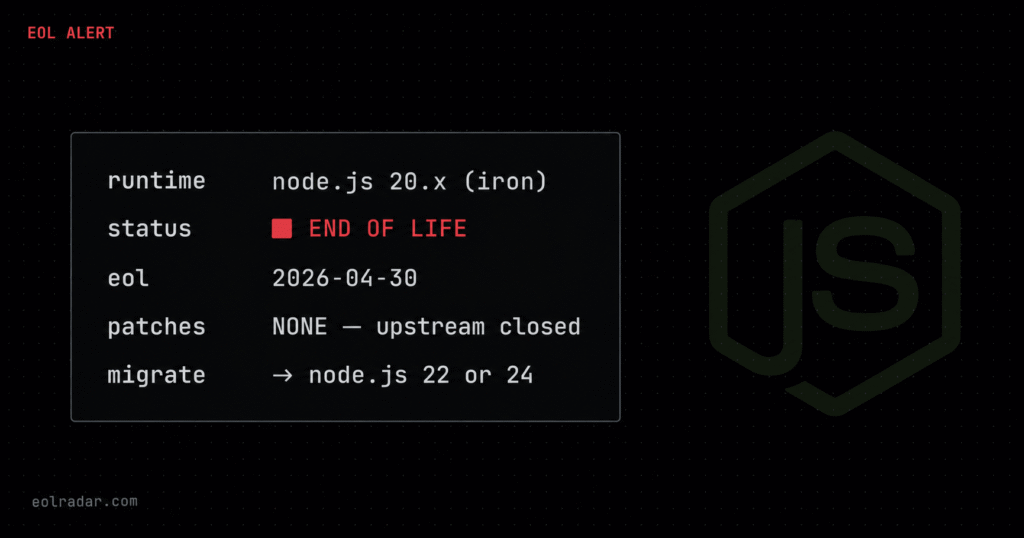
You are probably running Node.js 20 right now. Node.js 20 LTS reached end of life on April 30, 2026. It is hiding in
node:20Docker base images pulled months ago, in Lambda functions nobody has touched since 2024, in.nvmrcfiles pinned and forgotten in CI runners. From May 1, 2026, every CVE disclosed against Node.js 20 receives no patch from the upstream project, not now, not ever.
The EOL Date and What It Actually Means
Node.js 20 released in April 2023, entered Active LTS in October 2023 under the codename Iron, and ran through its 30-month support window without incident. That window closed on April 30, 2026.
“End of life” does not mean your application crashes. Your code still runs. The Node.js binary keeps executing. What stops permanently is the Release Working Group issuing security releases, CVE fixes, or any other updates for the 20.x line. The next CVE disclosed that affects Node.js 20 gets a patch for Node.js 22 and 24. It gets nothing for 20.
This distinction matters operationally. The failure mode is not immediate, it is cumulative. Each disclosed vulnerability your runtime cannot patch is another layer of permanent, unresolvable exposure.
| Phase | Dates | What the Node.js project delivers |
|---|---|---|
| Current | Apr 2023 – Oct 2023 | Features, bug fixes, security patches |
| Active LTS | Oct 2023 – Oct 2024 | Features + security patches |
| Maintenance LTS | Oct 2024 – Apr 30, 2026 | Security patches only |
| End of Life | May 1, 2026 onwards | Nothing. No patches. Ever. |
Source: nodejs.org/en/about/previous-releases
On CVEs post-EOL: No CVEs have been disclosed against Node.js 20 specifically for the post-EOL window as of June 13, 2026. This does not mean no vulnerabilities exist. It means none have been publicly documented in the six weeks since EOL. The historical pattern established with Node.js 14, 16, and 18, is that disclosures arrive within 60–90 days of an EOL date as researchers deprioritise coordinated disclosure for unsupported versions.
Node.js 20 Is Hiding in Your Stack — Where to Find It
The teams most at risk are not the ones knowingly running Node.js 20 in production. They know and have a plan. The teams that get caught are the ones who think they already migrated, because their application servers are on Node.js 22, but their Docker base images, Lambda functions, and CI runners are still pinned to 20.
Run every scan below before you assume you are clean.
Docker Base Images
The tags node:20, node:20-slim, node:20-alpine, node:20-bullseye, and node:20-bookworm all resolve to EOL software as of May 1, 2026. Multi-stage builds are the most common miss — the final stage uses an updated base image but an intermediate build stage still pulls node:20.
# Find Node.js 20 in all Dockerfiles in the current repo
grep -rn "FROM node:20" . --include="Dockerfile*"

# Catch node:20 in multi-stage builds and ARG-based images
grep -rn "node:20" . --include="Dockerfile*"

# Check what is actually running in containers right now
docker ps --format "{{.Image}}" | grep "node:20"

# Inspect a running container's Node version
docker exec <container_id> node --version
If any of these return results, that is your immediate remediation list.
CI/CD Pipelines
CI runners are the most forgotten vector. A .nvmrc file commited three years ago and never reviewed. A GitHub Actions workflow that worked fine on setup-node@v3 with node-version: '20'. A GitLab CI image definition nobody touched because the pipeline was green.
# GitHub Actions workflow files
grep -rn "node-version.*20" .github/workflows/

# .nvmrc version pins
find . -name ".nvmrc" | xargs grep "^20"

# .node-version files (used by fnm, volta, asdf)
find . -name ".node-version" | xargs grep "^20"

# package.json engines field
grep -rn '"engines"' . --include="package.json" -A 3 | grep "20"
For GitLab CI and CircleCI, search your pipeline config files for image: node:20 and - node: "20" respectively. Jenkins shared libraries referencing a Node tool installation also need review.
AWS Lambda Functions
AWS Lambda began deprecating nodejs20.x on April 30, 2026. The timeline below is confirmed from the AWS Lambda runtime deprecation policy:
| Date | AWS Lambda action |
|---|---|
| April 30, 2026 | Security patches stop. nodejs20.x removed from AWS Console. Technical support ends. |
| June 1, 2026 | New Lambda function creation with nodejs20.x blocked , all methods including CLI, CloudFormation, SAM, CDK. |
| September 30, 2026 | Updates to existing nodejs20.x functions blocked. Your CI/CD deployments will start failing at this date. |
Your functions continue to execute past all three dates. AWS does not terminate running functions. But from September 30, any pipeline that deploys or updates a Lambda function on nodejs20.x will fail. That is the hard operational deadline.
# Find all Lambda functions using nodejs20.x in a single region
aws lambda list-functions \
  --region us-east-1 \
  --query "Functions[?Runtime=='nodejs20.x'].[FunctionName,Runtime,LastModified]" \
  --output table

# Scan every region (requires AWS CLI and standard output)
for region in $(aws ec2 describe-regions \
  --query 'Regions[].RegionName' \
  --output text); do
  echo "=== $region ==="
  aws lambda list-functions \
    --region "$region" \
    --query "Functions[?Runtime=='nodejs20.x'].FunctionName" \
    --output text 2>/dev/null
done
If you use multiple AWS accounts, run this per account. Lambda functions in member accounts of an AWS Organization need separate credentials.
Kubernetes Workloads
Pod specs and Deployment manifests can pin node:20 directly. Helm chart values files and Kustomize overlays are common secondary locations.
# Scan running pod images across all namespaces
kubectl get pods --all-namespaces \
  -o jsonpath='{range .items[*]}{.spec.containers[*].image}{"\n"}{end}' \
  | grep "node:20"

# Scan Deployment image references
kubectl get deployments --all-namespaces \
  -o jsonpath='{range .items[*]}{.spec.template.spec.containers[*].image}{"\n"}{end}' \
  | grep "node:20"
Cloud Provider Deprecation Timeline
All three major cloud providers aligned their managed runtime deprecation to the April 30, 2026 upstream EOL date. This is the first Node.js EOL cycle where AWS, Azure, and GCP moved simultaneously.
| Cloud provider | Node.js 20 status as of May 2026 | Hard operational block |
|---|---|---|
| AWS Lambda | Patches stopped Apr 30. Console removed. New creation blocked Jun 1. | Sep 30, 2026 – updates to existing functions blocked |
| Azure App Service | Security patches stopped Apr 30, 2026 per Azure runtime lifecycle | Verify current forced migration date at aka.ms/appservice-eol |
| GCP Cloud Run | Node.js 20 entered deprecated status Apr 30, 2026 – deprecation warnings in Cloud Console | Verify at cloud.google.com/run/docs/runtimes |
| Vercel | [VERIFY: check vercel.com/docs/functions/runtimes for Node.js 20 deprecation timeline before publishing] | — |
| AWS SDK for JS v3 | Grace period until January 2027 – Node.js 20 supported 8 months past EOL | Jan 2027 – SDK v3 drops Node.js 20 support |
AWS Lambda source: docs.aws.amazon.com/lambda/latest/dg/lambda-runtimes.html
AWS SDK source: aws.amazon.com/blogs/developer/aws-sdk-for-javascript
Migration Path — Node.js 20 to Node.js 22 or 24
Which version to target
For existing production applications: migrate to Node.js 22 (Maintenance LTS, codename Jod). Node.js 22 entered LTS in October 2024, moved into Maintenance LTS in October 2025, and reaches EOL on April 30, 2027. It ships with V8 12.4, a stable node:sqlite module, improved require(esm) support, and native --run for package.json scripts. The 20→22 jump is the lowest-friction upgrade in the current cycle, most applications require only dependency updates and build pipeline changes.
For new applications or major refactors: target Node.js 24 (Active LTS, codename Krypton). Node.js 24 entered LTS in October 2025 and is supported until April 30, 2028, giving you two additional years of runway over Node.js 22. It ships with V8 13.6, native TypeScript type-stripping (behind --experimental-strip-types), an updated node:sqlite API, and stricter fetch/Undici behaviour.
| Version | Status (June 2026) | EOL date |
|---|---|---|
| Node.js 20 | ⛔ End of Life | April 30, 2026 |
| Node.js 22 | ✅ Maintenance LTS (Jod) | April 30, 2027 |
| Node.js 24 | ✅ Active LTS (Krypton) | April 30, 2028 |
| Node.js 26 | 🔄 Current (not LTS) | TBC |
Source: nodejs.org/en/about/previous-releases, nodejs.org/en/blog/release/v24.11.0
Breaking changes — what to test before promoting to production
These are confirmed semver-major changes from the official Node.js changelog between 20.x and 22.x:
createCipherandcreateDecipherremoved, these crypto APIs were deprecated in Node.js 10 and marked EOL in Node.js 22. If any dependency uses them, it will throw at runtime. Check withgrep -rn "createCipher\|createDecipher" node_modules/after installing dependencies on Node.js 22.- Import assertions removed:
import ... assert { type: 'json' }syntax is dropped in favour of import attributes (with { type: 'json' }). Affects Deno-style imports and some Webpack/Rollup configurations. - Default
highWaterMarkbumped in streams, the default stream buffer size increased. Affects high-throughput streaming applications; unlikely to break most codebases but worth load testing. - WebSocket client enabled by default:
WebSocketis now global. If your code polyfills WebSocket conditionally, test the conditional logic.
For the 22→24 jump, the official migration guide is at nodejs.org/en/blog/migrations/v22-to-v24.
Docker migration
# Before — EOL as of April 30, 2026
FROM node:20-alpine

# After — Maintenance LTS, supported until April 2027
FROM node:22-alpine

# After — Active LTS, supported until April 2028 (recommended for new builds)
FROM node:24-alpine
For multi-stage builds, update every FROM line, not just the final stage:
# Multi-stage — update ALL stages
FROM node:22-alpine AS build
WORKDIR /app
COPY package*.json ./
RUN npm ci

FROM node:22-alpine AS runtime
WORKDIR /app
COPY --from=build /app/node_modules ./node_modules
COPY . .
CMD ["node", "server.js"]
Local validation before touching production
# Install Node.js 22 via nvm
nvm install 22
nvm use 22
node --version        # confirm: v22.x.x

# Regenerate lockfile — do not skip this step
rm -f package-lock.json
npm install

# Run your full test suite
npm test

# Check for deprecated API usage
node --trace-deprecation server.js 2>&1 | grep DeprecationWarning
Run this in staging first. Monitor for 24 hours under production-equivalent load before promoting.
Compliance Implications
SOC 2 Type II, PCI-DSS v4.0, and ISO 27001:2022 all treat EOL software as an active finding rather than a risk to accept indefinitely. The mechanism is the same across frameworks: auditors require that systems receive vendor security updates. When a vendor in this case the Node.js Release Working Group stops issuing updates, the software fails that control by definition.
The practical consequence is not a theoretical future audit problem. It is a documentation problem right now. Your security posture documentation needs to show one of three things:
- Migration to a supported runtime is complete (the clean path)
- A risk acceptance with a defined remediation date and compensating controls is in place (acceptable for regulated environments with constrained migration windows)
- A commercial extended support contract, HeroDevs NES or TuxCare ELS is in place and the contract details are documented (acceptable as a transitional arrangement)
“We are aware of it and working on it” is not sufficient for a SOC 2 audit that covers the period after April 30, 2026. The auditor will ask for evidence of the remediation timeline, the compensating control, or the commercial support contract.
Teams running Node.js 20 in PCI-DSS cardholder data environments have the tightest window. PCI-DSS v4.0 Requirement 6.3.3 requires all software to be protected from known vulnerabilities. An EOL runtime with no patching mechanism fails 6.3.3 on its face. The QSA will flag it.
What Node.js 20 Includes That You Might Be Depending On
Some migrations have friction because teams built workflows around Node.js 20-specific features. Here is what those features map to in Node.js 22 and 24:
| Node.js 20 feature | Status in Node.js 22 | Status in Node.js 24 |
|---|---|---|
Stable built-in test runner (node:test) | Stable, extended — same API | Stable, further improved |
Permission Model (--experimental-permission) | Promoted to stable (--permission) | Stable, expanded |
| V8 v11.3 | Upgraded to V8 v12.4 | Upgraded to V8 v13.6 |
Native fetch() | Stable (no change) | Stable (no change) |
--env-file flag | Stable (no change) | Stable (no change) |
| ARM64 Windows support | Continued | Continued |
node:sqlite module | Not available in 20 — added in 22 as experimental | Stable in 24 |
The Permission Model is the most commonly cited reason teams delay migration from Node.js 20. Teams that built security-sensitive workloads around --experimental-permission need to retest against the stable --permission flag in Node.js 22, as the stable implementation has behavioural differences from the experimental version.
Source: nodejs.org/en/blog/release/v22.0.0, nodejs.org/en/blog/release/v24.11.0
The Migration Deadline That Actually Matters
April 30, 2026 is the security deadline. September 30, 2026 is the operational deadline.
On April 30, security patches stopped. Your applications kept running. Your CI/CD pipelines kept deploying. Nothing visibly broke. That silence is the danger, the EOL is easy to deprioritise when nothing immediately fails.
On September 30, 2026, AWS Lambda blocks all updates to nodejs20.x functions. Every CI/CD pipeline that deploys to Lambda, SAM, CDK, Serverless Framework, Terraform, direct AWS CLI calls , will return an error when it tries to update a function on the nodejs20.x runtime. That is a deployment outage, not a security advisory. Your incident response team will be involved.
If your organisation has not started the Lambda migration yet, you have approximately 109 days from today to complete it. Given typical enterprise change management cycles, that window is already tight.
The checklist before September 30:
- [ ] Audit all Lambda functions across all accounts and regions (use the CLI scan above)
- [ ] Update function runtime to
nodejs22.xin your IaC templates - [ ] Test the updated functions in a non-production environment
- [ ] Deploy through your standard change management process
- [ ] Verify the runtime change in production —
aws lambda get-function-configuration --function-name <name> --query Runtime
FAQ
When did Node.js 20 reach end of life?
Node.js 20 LTS (codename Iron) reached end of life on April 30, 2026. This date was published by the Node.js Release Working Group at nodejs.org/en/about/previous-releases and is confirmed. The 30-month support window ran from Active LTS entry in October 2023 through April 30, 2026.
What happens to my app after Node.js 20 EOL?
Your application continues to run — Node.js does not self-terminate at the EOL date. What stops permanently is security patching. Any CVE disclosed against Node.js 20 after April 30, 2026 will receive a fix for Node.js 22 and 24 but not for 20. Your runtime becomes a permanently unpatched attack surface for any vulnerability disclosed from that date forward.
How do I find Node.js 20 in my Docker images?
Run grep -rn "node:20" . --include="Dockerfile*" to find explicit pins in Dockerfiles. For running containers, use docker ps --format "{{.Image}}" | grep node:20 and verify active containers. Multi-stage builds are the most common miss — check every FROM line in your Dockerfiles, not just the final stage.
Which version should I migrate to from Node.js 20?
For existing production applications, Node.js 22 (Maintenance LTS, EOL April 30, 2027) is the lowest-friction target — the upgrade from 20 to 22 requires mainly dependency updates and a build pipeline change. For new applications or upcoming major refactors, target Node.js 24 (Active LTS, EOL April 30, 2028) for the longest supported runway.
Is Node.js 20 still safe to run after April 2026?
No. “Safe” requires a patching mechanism, and no patching mechanism exists for Node.js 20 after April 30, 2026. Running it is an accepted risk, not a safe configuration. For SOC 2, PCI-DSS, and ISO 27001 audit purposes, an EOL runtime without a commercial extended support contract is an active finding, not a deferred item.
Sources and Citations
All facts in this article are verified against primary sources. No CVE data, exploit details, or vendor statements have been assumed or extrapolated.
- Node.js official release schedule and EOL dates: nodejs.org/en/about/previous-releases
- Node.js End-of-Life page: nodejs.org/en/about/eol
- Node.js 22 LTS announcement (v22.11.0): nodejs.org/en/blog/release/v22.11.0
- Node.js 22.20.0 — OpenSSL 3.5.2 bundled, confirming support through April 2027: nodejs.org/en/blog/release/v22.20.0
- Node.js 24 LTS announcement (v24.11.0, codename Krypton): nodejs.org/en/blog/release/v24.11.0
- Node.js 22 release changelog (breaking changes): nodejs.org/en/blog/release/v22.0.0
- Node.js v22 to v24 migration guide: nodejs.org/en/blog/migrations/v22-to-v24
- AWS Lambda runtime deprecation policy: docs.aws.amazon.com/lambda/latest/dg/lambda-runtimes.html
- AWS Lambda Node.js 20.x deprecation phases (GitHub issue confirming Phase 1/2/3 dates): github.com/awslabs/landing-zone-accelerator-on-aws/issues/961
- AWS SDK for JavaScript v3 Node.js support timeline: aws.amazon.com/blogs/developer/aws-sdk-for-javascript-aligns-with-node-js-release-schedule
- endoflife.date/nodejs — cross-reference for all version dates: endoflife.date/nodejs
- Node.js evolving release schedule announcement: nodejs.org/en/blog/announcements/evolving-the-nodejs-release-schedule
Get notified before the next EOL deadline hits your stack. The Deprecation Digest covers upcoming EOL dates, CVE intersections, and migration guides — every Tuesday. Subscribe free →