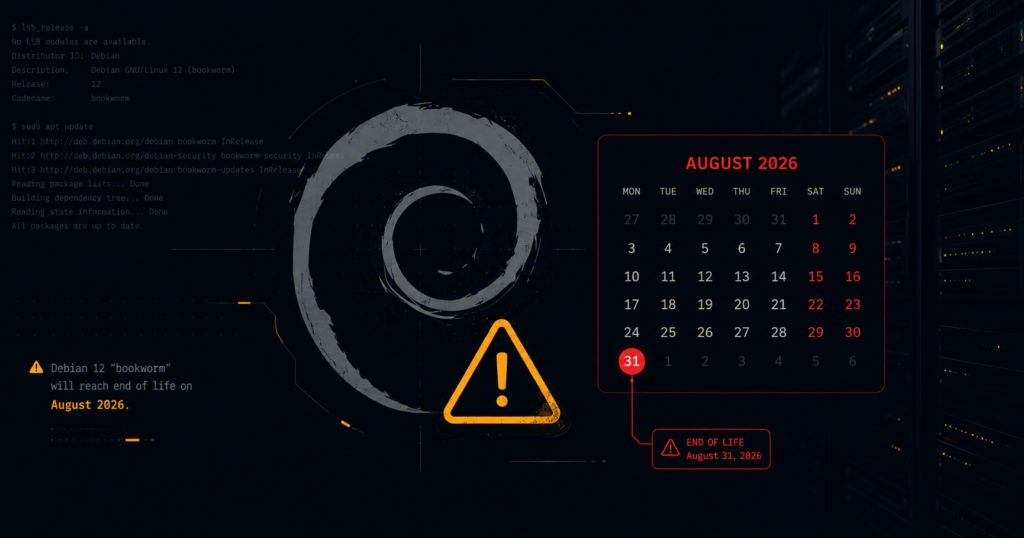
⚠️ You are probably running Debian 11 right now. You just do not know it. The
debian:bullseyeanddebian:bullseye-slimDocker tags are embedded in thousands of base images across public registries pulled into CI pipelines, build environments, and sidecar containers without anyone auditing the OS underneath. Debian 11 reaches end of life on August 31, 2026. After that date, no security patches. Ever.”. Official EOL date: August 31, 2026 – confirmed by debian.org. Some sources incorrectly cite June 30, 2026
Debian 11 LTS ends August 31, 2026. Regular security support already ended on August 14, 2024. Right now you are operating under limited volunteer-led LTS coverage, a subset of packages, specific architectures only. If you have a compliance audit before August 2026, this is a conversation you need to prepare for today.
his guide shows you how to find Debian 11 in your Docker images, Kubernetes workloads, and CI pipelines, and how to migrate safely to Bookworm before the deadline.
What Debian 11 End of Life Actually Means for Your Stack
After August 31, 2026, the Debian LTS team stops all maintenance on Bullseye. Any CVE disclosed after that date gets no patch – on any package, in any configuration. Your Bullseye host or container becomes a permanently unpatched attack surface the day the calendar flips.
You are already in a degraded state right now. Since August 14, 2024, only packages maintained by the volunteer Debian LTS team receive patches. That excludes a significant portion of the full package set – including some packages your production workloads almost certainly depend on. Check the Debian LTS package coverage list before assuming your critical packages are still covered.
Currently, LTS maintenance only covers a subset of packages on amd64, i386, arm64, and armhf. If you rely on anything else, you are already completely exposed. Furthermore, SOC 2, PCI-DSS, and ISO 27001 auditors increasingly flag systems running on OS versions under LTS-only support as a critical finding, not just systems past full end of life. If you have a compliance audit before August 2026, Bullseye is a conversation you need to prepare for today.
Debian versions, support status, and deadlines
Use this table to understand where Bullseye sits in the release cycle and identify your target environment:
| Version | Status | Security Support Ends | Action |
|---|---|---|---|
| Debian 11 “Bullseye” | ⚠️ LTS only (limited) | August 31, 2026 | Migrate now |
| Debian 10 “Buster” | 🔴 EOL | June 30, 2024 | Migrate immediately |
| Debian 12 “Bookworm” | ✅ LTS until June 2026 | June 2028 (projected) | Acceptable target |
| Debian 13 “Trixie” | ✅ Active | ~2027 (projected) | Recommended target |
LTS coverage on Bullseye is limited to amd64, i386, arm64, and armhf only. If you run any other architecture, you have no LTS coverage at all.
Why Debian 11 is hiding in Docker base images
Here is the problem most teams miss: they think they are not running Debian 11. They are wrong. The debian:bullseye and debian:bullseye-slim Docker tags are embedded in thousands of base images across public registries. They are pulled into CI/CD pipelines, sidecar containers, and build environments without anyone auditing the OS underneath.
Pay particular attention to base images tagged node:18, python:3.11, ruby:3.2, and similar runtime images. Many of these official variants defaulted to Bullseye and have not all been automatically upgraded or rebuilt on Bookworm in your internal caches. You cannot fix what you have not mapped.
How to check if you are running Debian 11 (hosts, Docker, Kubernetes)
Run these commands today to find your actual exposure:
Audit Running Hosts
# Check a running host directly
lsb_release -a

# Alternative - works in minimal containers where lsb_release is absent
cat /etc/os-release | grep -E "VERSION|PRETTY_NAME"
Audit Docker Images
# Find Debian 11 base images in your local Docker image cache
docker images --format "{{.Repository}}:{{.Tag}}" | \
  xargs -I {} sh -c 'docker inspect {} 2>/dev/null | \
  jq -r ".[].Config.Labels[\"org.opencontainers.image.version\"] // empty"'

# More reliable: inspect each image's OS release file directly
docker images --format "{{.ID}} {{.Repository}}:{{.Tag}}" | \
  while read id tag; do
    version=$(docker run --rm --entrypoint="" "$id" \
      cat /etc/os-release 2>/dev/null | grep VERSION_CODENAME)
    echo "$tag → $version"
  done
Audit Kubernetes Clusters
# Check your Kubernetes pods for bullseye base images
kubectl get pods --all-namespaces -o json | \
  jq -r '.items[].spec.containers[].image' | sort -u | \
  grep -i bullseye

# Scan running containers on the current node
docker ps --format "{{.Image}}" | sort -u | \
  xargs -I {} docker run --rm --entrypoint="" {} \
  cat /etc/os-release 2>/dev/null | grep -i bullseye
Pay particular attention to base images tagged node:18, python:3.11, ruby:3.2, and similar runtime images – many of their Debian variants (Debian 11 end of life) defaulted to Bullseye and have not all been rebuilt on Bookworm yet. Check the upstream image tags before assuming you are safe.
How to migrate from Bullseye to Bookworm safely
The standard migration path is moving from Debian 11 (Bullseye) to Debian 12 (Bookworm).
Docker Base Images
This is where 80% of your Bullseye exposure lives, as Debian 11 end of life. The fix is a one-line change – but you need to find every Dockerfile first.
# Find all Dockerfiles in your repositories referencing bullseye
grep -r "bullseye" --include="Dockerfile*" .

# Common patterns to search and replace
grep -r "FROM debian:bullseye" --include="Dockerfile*" -l
grep -r "FROM debian:bullseye-slim" --include="Dockerfile*" -l
# Before -  EOL August 2026
FROM debian:bullseye-slim

# After - Recommended
FROM debian:bookworm-slim

# Or pin to a specific digest for reproducibility
FROM debian:bookworm-slim@sha256:<digest>
Run your full test suite after any base image change. Bookworm ships glibc 2.36 vs Bullseye’s glibc 2.31 – most applications handle this transparently, but statically linked binaries or anything using low-level system calls needs verification.
In-Place Server Upgrade (Bullseye → Bookworm)
If you manage physical or virtual Debian hosts, an in-place upgrade is supported. Back up the machine first, no exceptions. Do not skip the full-upgrade on Bullseye before starting; partial upgrades are the primary cause of broken distribution jumps.
# Step 1: Fully update your Bullseye system before upgrading
sudo apt update && sudo apt upgrade -y && sudo apt full-upgrade -y

# Step 2: Update your apt sources to point to Bookworm
sudo sed -i 's/bullseye/bookworm/g' /etc/apt/sources.list
sudo sed -i 's/bullseye/bookworm/g' /etc/apt/sources.list.d/*.list

# Step 3: Update package lists
sudo apt update

# Step 4: Run the upgrade - expect this to take 20-60 minutes
sudo apt full-upgrade -y

# Step 5: Clean up
sudo apt autoremove -y && sudo apt autoclean

# Step 6: Reboot
sudo reboot

# Step 7: Verify the upgrade completed
lsb_release -a
CI/CD Pipeline Images
GitHub Actions, GitLab CI, and Jenkins pipeline agents often pull Debian-based runner images without explicit version pinning.
# GitHub Actions - pin your runner and check base image
jobs:
  build:
    runs-on: ubuntu-latest  # Check what OS version this maps to
    container:
      # If you specify a container image, audit it for Bullseye
      image: python:3.12-bookworm  # Explicit Bookworm - not just python:3.12
Bullseye vs Bookworm breaking changes to test
A major OS upgrade changes underlying system primitives. Run your full test suite after any base image change and watch for these specific breaks:
- glibc 2.36: Bookworm ships
glibc 2.36vs Bullseye’sglibc 2.31. Most applications handle this transparently, but statically linked binaries or anything using low-level system calls (like eBPF tools) needs verification. - OpenSSL 3.0: Debian 12 moves to OpenSSL 3.0, replacing the deprecated OpenSSL 1.1.1 found in Debian 11. Applications using legacy TLS cipher suites or outdated OpenSSL APIs will fail to connect. Test your TLS-dependent services explicitly.
- Python Package Paths: Python package paths changed slightly. The system default is now Python 3.11, which enforces PEP 668 (externally managed environments). Running
pip installglobally without a virtual environment will throw an error by default. Like the –pip install --userputs packages in a different location. Verify any scripts that hardcode Python lib paths. - systemd 252 in Bookworm drops some legacy unit file options. Audit custom service files if you manage bare metal or VMs.
- PHP 8.2 is the default in Bookworm vs PHP 7.4 in Bullseye. If you are running PHP on the system package, this is a major version jump requiring application testing.
Timeline and Recommended Action
| Timeframe | Action |
|---|---|
| This week | Run the Docker image audit commands above across all repos |
| Within 30 days | Rebuild and test critical Docker images on bookworm-slim |
| Within 60 days | Upgrade dev and staging server environments |
| Within 90 days | Complete CI/CD runner image migration |
| Before August 31, 2026 | All production hosts and containers off Bullseye |
Start with grep -r "bullseye" --include="Dockerfile*" . across your repositories today, knowing your exact exposure is the first step to fixing it before the deadline becomes a compliance failure..
Add this right before your conclusion (best placement for internal links).
Don’t Stop at Debian – You Need an EOL Tracking System
Fixing Debian 11 today solves one problem. It does not solve the bigger one:
you likely have other end-of-life software hiding across your stack right now.
Most teams only discover EOL exposure during:
- a SOC 2 / ISO 27001 audit,
- a CVE scan returning “will not fix”,
- or when vendor support tells them to upgrade before helping.
Debian 11 is a symptom of a wider issue – no systematic way to track software lifecycles across DevOps, containers, CI runners, runtimes, and base images.
That’s exactly why you should read:
👉 End-of-Life Software in DevOps: The Complete Guide to Tracking and Migrating
This guide shows you:
- How to build an EOL inventory across your infrastructure
- How to continuously track OS, runtimes, and dependencies before auditors do
- How to plan migrations as maintenance and not as emergencies
- How to align EOL tracking with PCI DSS 4.0, SOC 2, and ISO 27001 requirements
If Debian 11 caught your attention, this guide will prevent the next Bullseye from catching you off guard.